¶ Base Layers, GIS Studio
¶ THE key points
Before going into the details, let's first review THE key points:
- Name layers using terms that make sense to end users, rather than technical codes or internal naming conventions.
"Cavities – Survey Area" instead of "X-API-A154-DPTEC-SC-CAV - 20261007.dwg"
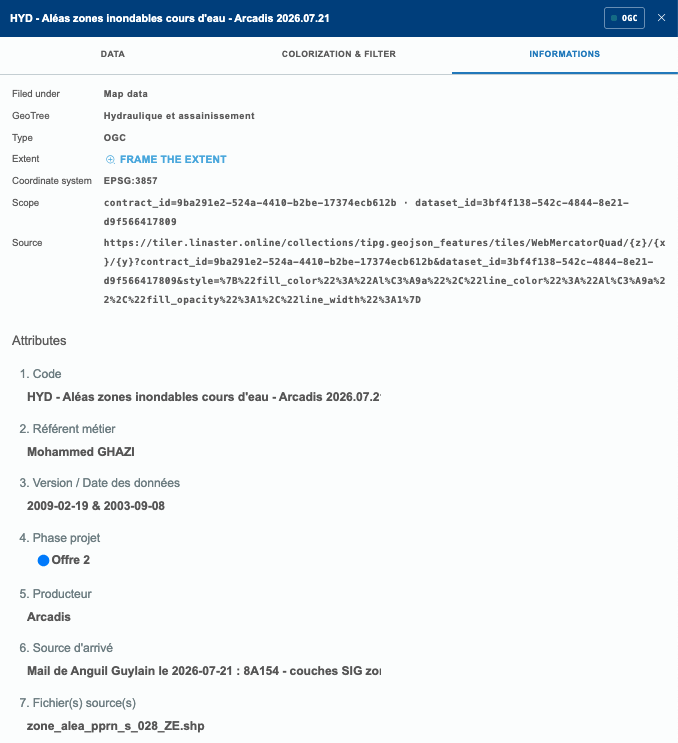
"River Flood Hazard Areas" instead of "zone_alea_pprn_s_028_ZE.shp"
- Layers should contain all the information that is necessary, and only the information that is necessary. Anything superfluous only adds confusion.
For example, is there any value in showing detailed bathroom layouts on the project's overall plan?
- Clean data
- Documented data
¶ Introduction
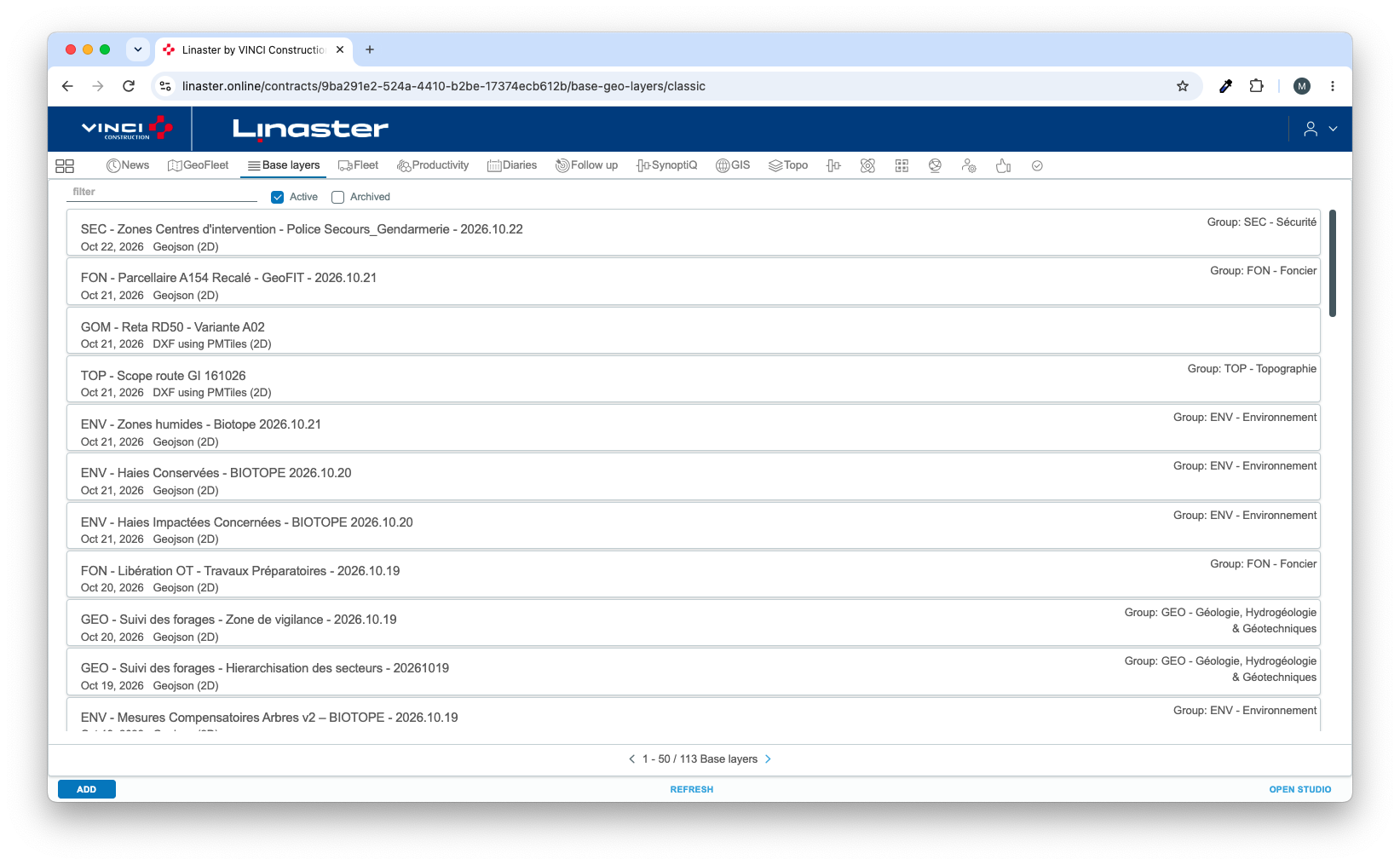
The "Base Layers" module has been reworked after the release of the GIS module to align with the new GIS functionality.
 |
=> |
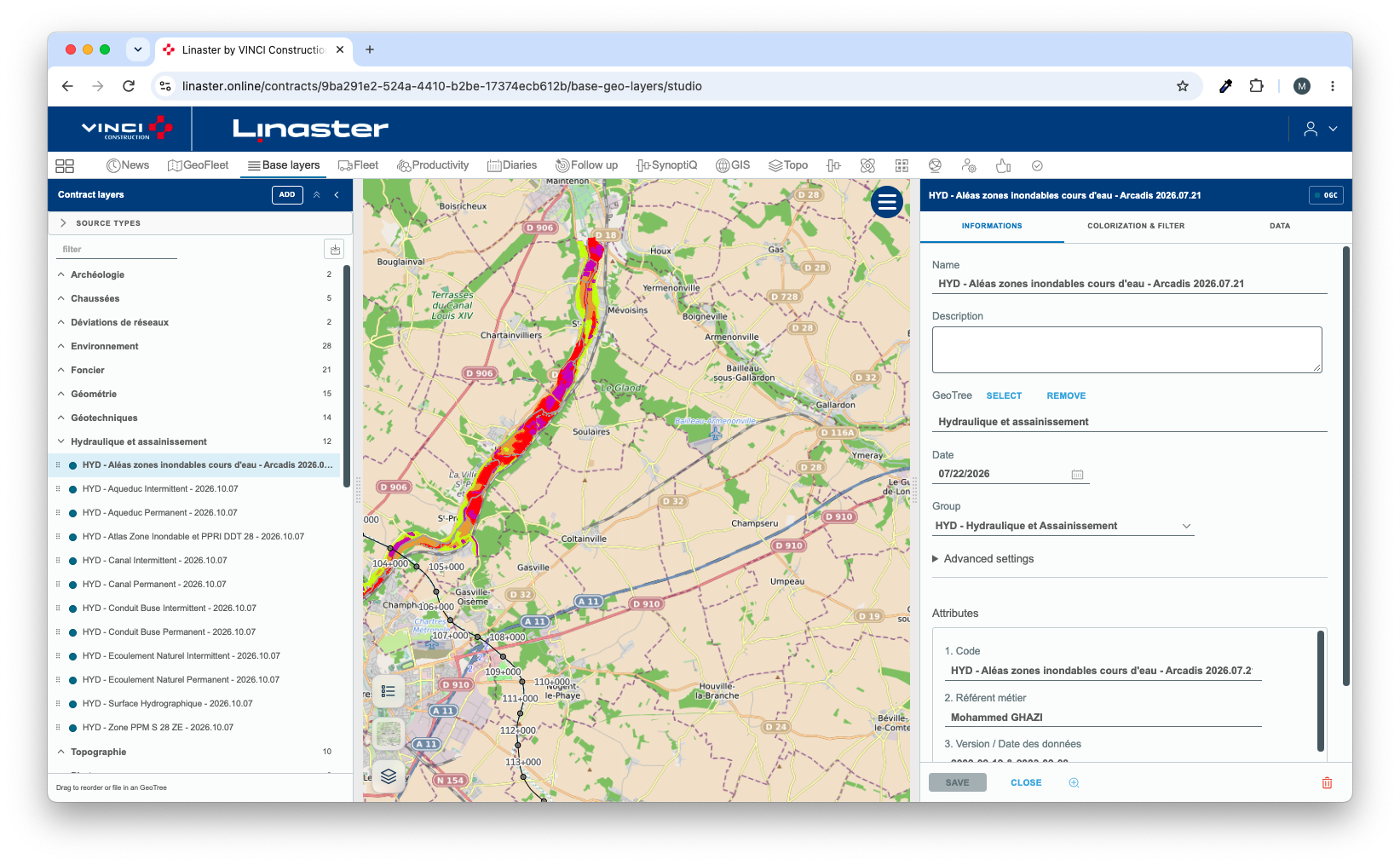 |
The main differences are:
- Moving from individual layer management to a more centralized and global approach through the GeoTree.
- Direct access to open data sources, which can be expanded over time.
- The ability to create layers from business objects stored in the database (areas, assets, photos, etc.).
- More advanced filtering and styling (coloring) capabilities.
¶ GeoTree
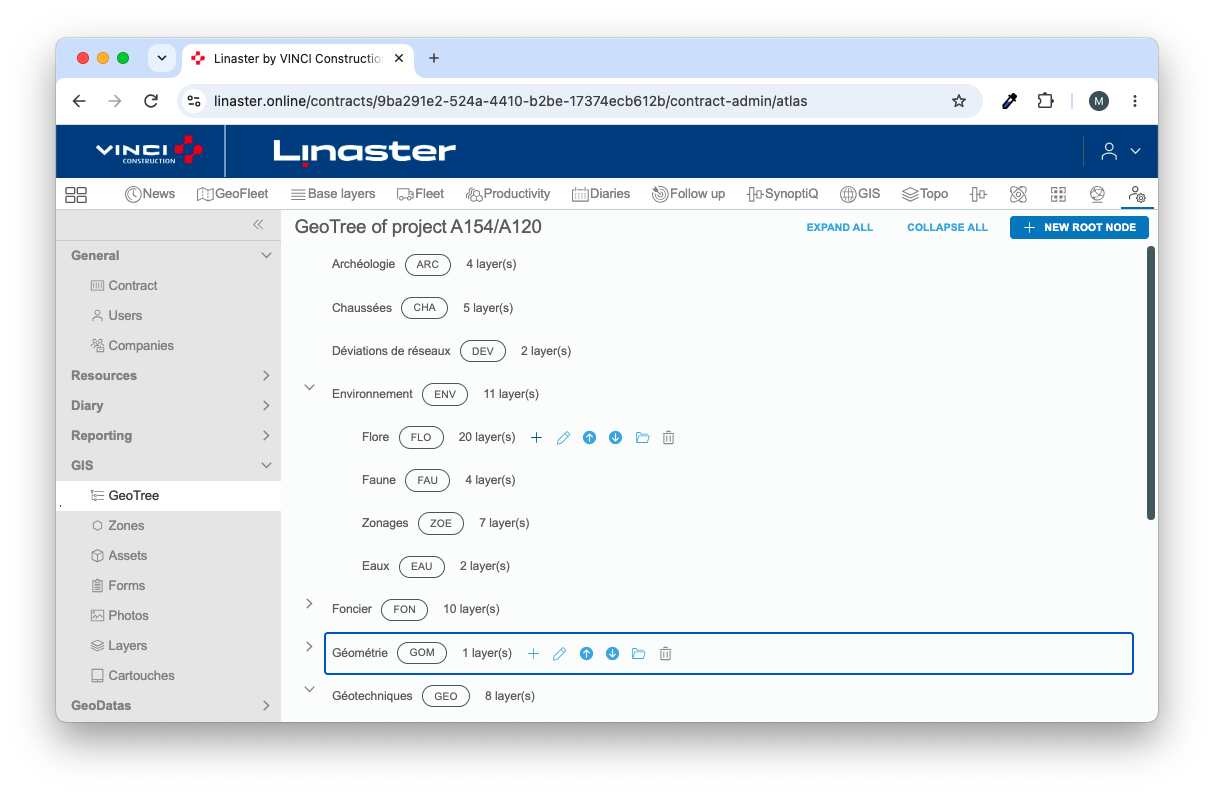
The GeoArbo is administered through the GIS Administration / GeoTree Module.
You can customize and evolve it as required, but keep in mind that users quickly develop habits when it comes to locating layers.
If the GeoArbo is reorganized too frequently or too drastically, some users may find it difficult to adapt and locate the layers they are looking for.
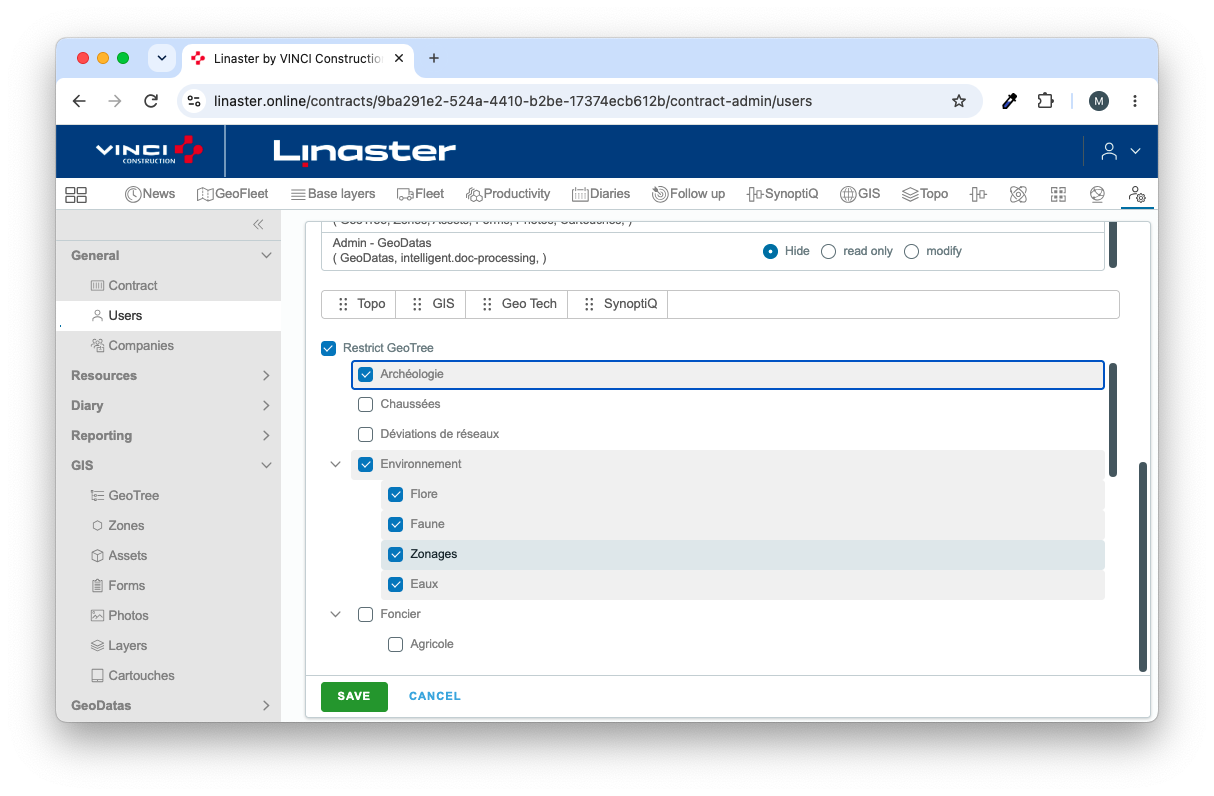
In addition, the GeoArbo can be used to restrict user access to specific branches (or nodes), and therefore to specific datasets.
Let's take a practical example. Suppose you want to provide a client with access only to completed survey data.
You would create one or more layers based on GeoData, applying a "Done" filter, and assign these layers to an "Work Progress" node. By restricting the client's permissions to this "Work Progress" node, they will only be able to access the completed surveys and no other data.
¶ Layer Description Sheet (Identity Card)
|
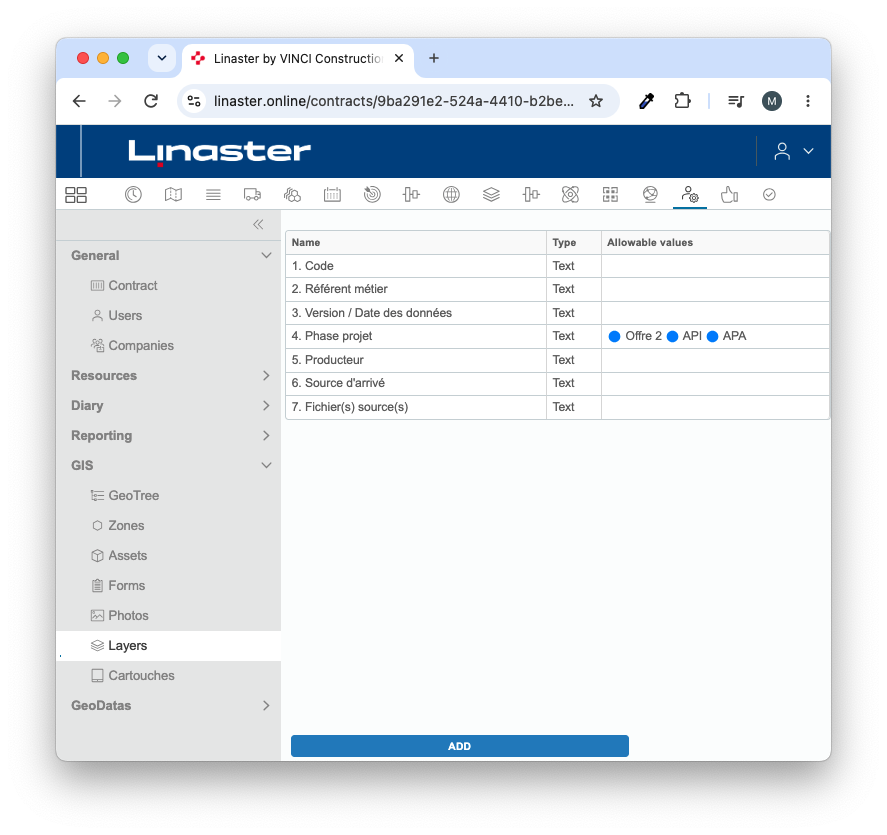
The purpose of the Layer Description Sheet is to provide an identity card for each layer, allowing users to understand the origin of the data, its revision status, publication date, and whether it is provisional and awaiting client validation. The information displayed on this identity card is fully configurable through the GIS Administration / Layers module. |
 |
 |
¶ Quick layer Reorganization in the GeoTree
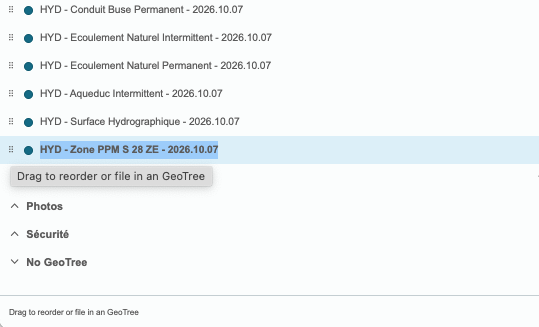 |
Layers can be quickly reorganized within the GeoArbo using drag-and-drop. This makes it easy to adapt the tree structure, move layers between nodes, and keep the organization aligned with evolving project requirements. Don't forget that the Archived button provides access to archived layers, which are hidden from end users and therefore not visible in the standard layer catalog. 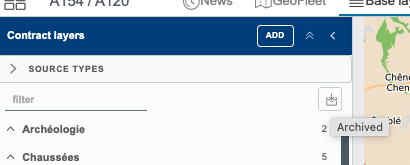 |